

Kling AI wins for creators who want long, physics-accurate cinematic shots with synchronized multi-language audio in a single prompt. Runway wins for commercial VFX studios and video editors who require non-destructive timeline control, camera trajectory precision, enterprise API compliance, and high-volume generation tiers with rollover credits.
Kling AI wins for creators who want long, physics-accurate cinematic shots with synchronized multi-language audio in a single prompt. Runway wins for commercial VFX studios and video editors who require non-destructive timeline control, camera trajectory precision, enterprise API compliance, and high-volume generation tiers with rollover credits.
For two years, the generative video space felt like a race to produce an impressive five-second tech demo. In 2026, the question is no longer whether a diffusion model can render high-resolution texture; it is whether the model understands real-world kinematics, handles complex multi-shot storytelling without morphing, and fits into a production budget without draining hundreds of dollars in trial-and-error credits.
Kling AI (developed by Beijing-based giant Kuaishou Technology and known domestically as 可灵 AI) and Runway (the New York studio behind Gen-3, Gen-4, and Gen-4.5) represent two fundamentally distinct philosophies. Kling treats the AI as a director-in-a-box: you hand it an idea, and it returns a 15-second, 4K scene with matching sound effects and lip-synced speech. Runway treats the AI as a post-production toolset: you get precision brush controls, performance capture, and multi-track canvas editing.
If you are deciding where to spend your monthly production budget, here is how the two tools truly compare beneath the marketing reels.
The 30-Second Answer
- Pick Kling AI if: You create narrative content, commercial mockups, social video, or faceless YouTube productions where you need long shots (up to 15 seconds), believable human body physics, and built-in synchronized dialogue without juggling separate audio software like ElevenLabs.
- Pick Runway if: You work inside a traditional film, agency, or VFX pipeline where fine-grained camera motion, video-to-video restyling (Aleph), actor performance transfer (Act-Two), and predictable enterprise credit pools take priority over standalone text-to-video automation.
Kling AI vs Runway: Feature & Spec Breakdown
| Dimension | Kling AI (Kling 3.0 / Omni) | Runway (Gen-4 / Gen-4.5) | Key Advantage |
|---|---|---|---|
| Developer Origin | Kuaishou Technology (China) | Runway AI, Inc. (United States) | Enterprise compliance vs Rapid Chinese DiT scaling |
| Single-Clip Duration | Up to 15 seconds (expandable to 3 min) | 5 to 10 seconds (extendable) | Kling AI (3x longer single pass) |
| Max Native Resolution | Native 4K (Ultra / Premier tiers) | 720p native (4K upscale on paid plans) | Kling AI (Cleaner native raster) |
| Native Audio & Lip Sync | Synchronized speech, SFX & ambient audio | None (Silent video outputs only) | Kling AI (Zero audio pipeline friction) |
| Camera & Motion Control | Motion Control + path prompts | Camera Director + Motion Brush + Aleph | Runway (Tighter manual post-controls) |
| High-Volume Generation | Credit-capped monthly quota | Max tier (9,500 credits/mo with 1-mo rollover) | Runway (Rollover flexibility) |
| Free Tier Access | 66 credits daily (refreshes every 24h) | 125 credits total (one-time trial) | Kling AI (Evergreen daily playground) |
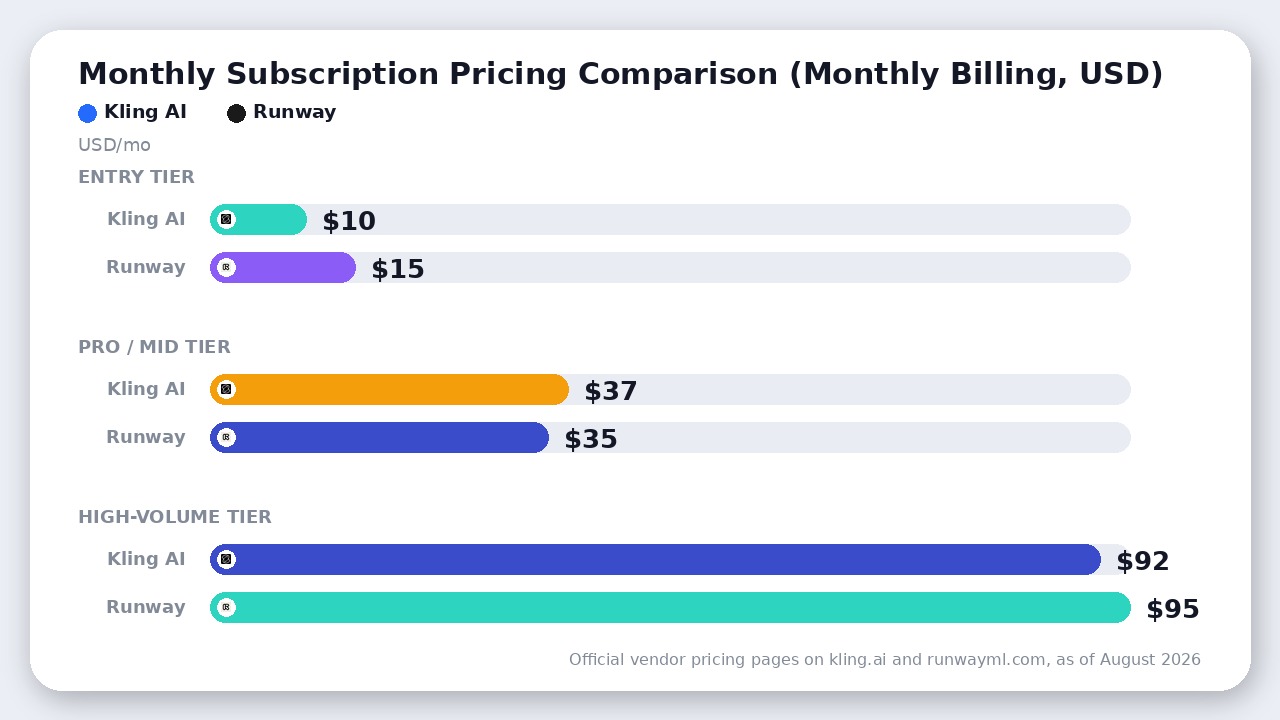
| Base Pricing (Monthly) | $10 / $37 / $92 / $180 per month | $15 / $35 / $95 per month | Kling AI entry; Runway high-volume |
Pricing and feature availability verified against official documentation on kling.ai and runwayml.com as of August 2026.
1. Generation Realism: Complex Physics vs. Compositional Stability
Generative video models notoriously fall apart when asked to simulate dynamic physics: water sloshing, liquid pouring into a glass, fabric tearing, or a character turning 180 degrees while walking.
Kling AI has established an unmistakable edge in raw physics simulation. Built on Kuaishou’s proprietary 3D Variational Autoencoder (VAE) architecture with spatiotemporal compression, Kling tracks momentum, collisions, and joint articulation with fewer uncanny morphs than Western competitors. When a subject interacts with an object—such as biting an apple or sprinting across uneven terrain—Kling preserves limb geometry where earlier models melted fingers into background elements.
Runway Gen-4.5 counters with visual composition and atmospheric lighting. Where Kling can occasionally drift into oversaturated “hyper-realism,” Runway renders natural cinematic depth of field, subtle shadow roll-offs, and realistic lens distortion. However, when complex physical motion is introduced, Runway clips tend to minimize movement to keep the frame stable. If your prompt demands aggressive action, high-speed vehicle maneuvers, or fluid dynamics, Kling delivers a convincing shot far more frequently on the first attempt.
Three things worth flagging
2. Audio & Storyboarding: The All-in-One Gap
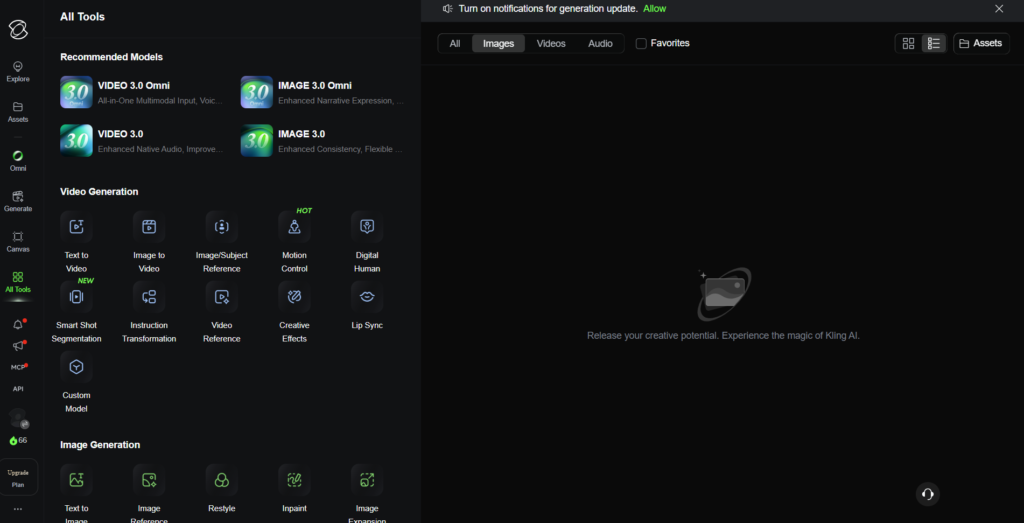
The biggest workflow divide between the two platforms is audio integration.
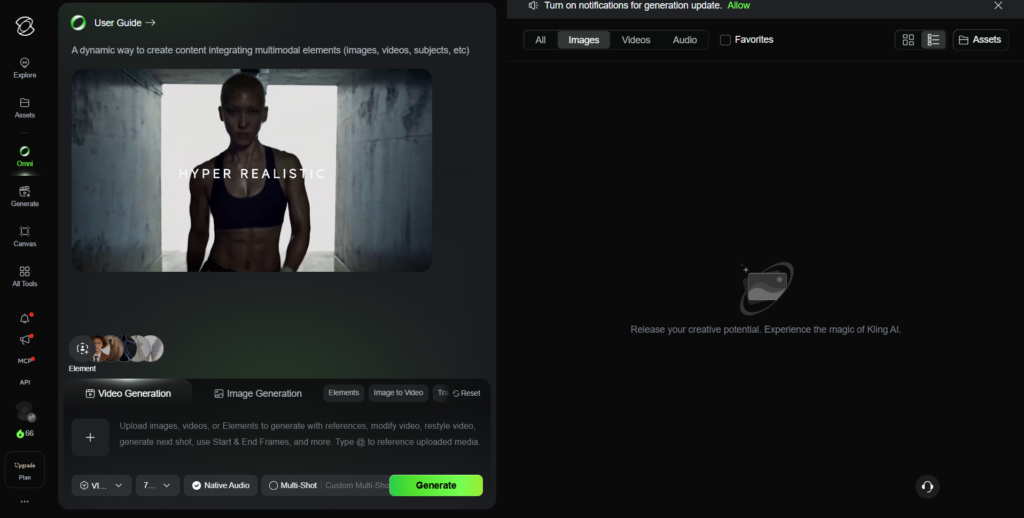
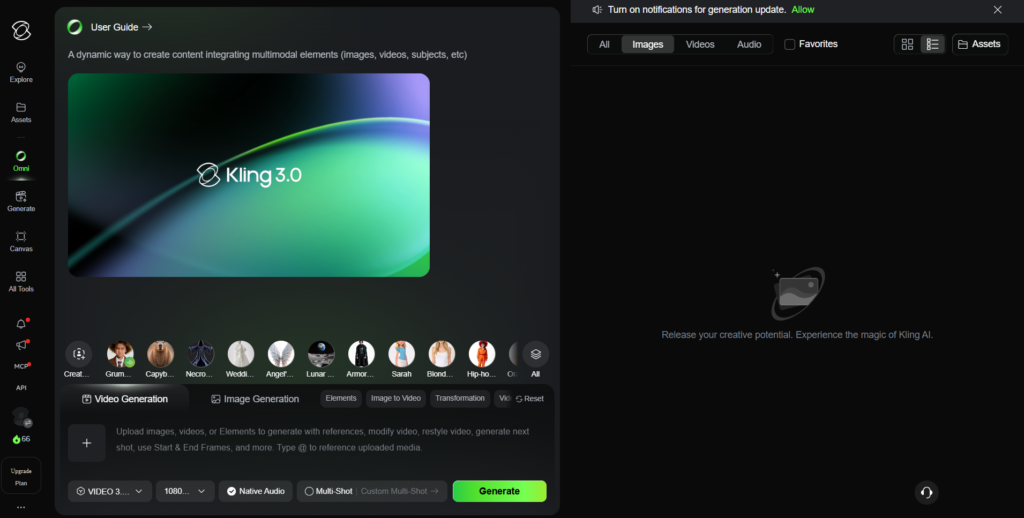
Kling 3.0 uses a Multi-modal Visual Language (MVL) framework that produces synchronous, multi-channel sound alongside the video stream. When you generate a scene of footsteps crunching on gravel or a crowded rainstorm, the audio track matches the visual pacing natively. More importantly, Kling includes built-in multilingual lip synchronization (supporting English, Mandarin, Spanish, Japanese, and Korean). You can type dialogue directly into the prompt box, and the subject’s mouth movements lock accurately to the phonetic cadence without exporting the clip to an external lip-sync service.
Runway remains an entirely silent video generator. To build a complete video asset with Runway, your workflow requires:
1. Generating the silent footage in Runway Gen-4.5.
2. Generating dialogue in ElevenLabs or OpenAI Audio.
3. Pulling both assets into a secondary tool (like SyncLabs or CapCut) to align lip movement.
4. Layering foley and background score manually.
For solo creators and marketing teams producing dozens of video ads or social hooks per week, Kling saves between 15 and 30 minutes of external post-processing per finished clip.
3. Pricing, Credits, and Generation Volume
Both platforms operate on credit economies, but their consumption curves punish different types of user behavior.
Kling AI Pricing Structure (as of August 2026)
- Free Plan: 66 daily credits (refreshes every 24 hours, non-accumulating, 720p watermarked output).
- Standard ($10/month or ~$6.99/month billed annually): 660 monthly credits, watermark removed, commercial rights.
- Pro ($37/month or ~$25.99/month billed annually): ~3,000 credits, priority generation queue.
- Premier ($92/month or ~$64.99/month billed annually): ~8,000 credits, unlocks ultra-fast queue and 4K native output.
- Ultra ($180/month or ~$127.99/month first-purchase offer): ~26,000 credits, maximum monthly generation capacity.
A standard 5-second video in Standard mode consumes roughly 10 credits, while high-quality 1080p/4K generations or 15-second Omni clips burn 35 to 70+ credits per render. On the $10 Standard tier (660 credits), you run out of credits after roughly 44 to 66 basic clips. If a prompt fails to nail your vision on passes 1 through 3, your monthly quota vanishes rapidly.
Runway Pricing Structure (as of August 2026)
- Free Plan: 125 one-time credits (does not renew).
- Standard ($15/month or $12/month billed annually): 625 monthly credits (resets each billing cycle).
- Pro ($35/month or $28/month billed annually): 2,250 monthly credits.
- Max ($95/month or $76/month billed annually): 9,500 monthly credits with up to one month of unused credit rollover (phasing in to replace the legacy Unlimited tier).
- Enterprise: Custom billing, shared team workspaces, dedicated capacity.
Runway’s Gen-4.5 model consumes 12 credits per second (60 credits for a 5-second clip and 120 credits for a 10-second clip). On the Standard tier, 625 credits translate to 10 five-second clips or 5 ten-second clips per month. On high-volume tiers, Runway’s Max Plan ($95/month) provides 9,500 fast credits and allows a full month of unused credits to roll over, preventing wasted budget during slow production periods. On Kling AI, unused credits expire when the monthly billing cycle resets.
4. Data Residency, Access, and Enterprise Compliance
For enterprise legal teams and agencies handling confidential client assets, geographic data residency is a critical deciding factor.
Can you access Kling AI outside China?
Yes. When Kling initially launched in mid-2024, it was restricted to domestic Chinese phone numbers and the KuaiYing app. Today, the international platform (kling.ai) operates entirely independently from the Chinese domestic portal (klingai.com). Anyone can sign up with a standard Google or email account without a VPN. International payments accept global Visa, Mastercard, and Google Pay, though some US regional banks require manual 3D Secure approval.
Where does your data go on Kling AI?
Kling AI’s international entity operates under Kling AI Pte. Ltd. (registered in Singapore), but backend inference clusters and data storage are distributed across infrastructure in China and Singapore.
The Critical Clause: Under Section 4.7.3 of Kling AI’s consumer Terms of Service, users authorize Kling AI to process submitted data to “create, test, improve, train, or otherwise develop the artificial intelligence or machine learning models, systems, architecture, weights or related technology”. If you upload unreleased product prototypes or confidential brand IP to Kling’s web app, your data may be utilized in future training runs. Only users who contract directly through the Kling Enterprise API operate under Section 5.1 of the API Paid Service Terms, which expressly waives model retraining on customer payloads.
By contrast, Runway operates under United States jurisdiction, is SOC 2 Type II certified, and provides enterprise agreements with clear copyright indemnity and complete exclusions from model training pools. Much like our analysis of foundational models in our DeepSeek vs Qwen comparison, Chinese platforms offer unmatched raw compute value, but Western SaaS vendors retain an institutional lead in legal compliance.
Where Runway Actually Wins
Kling AI outmuscles Runway on raw text-to-video specs, but Runway remains the superior platform for structured post-production workflows.
- Aleph & Non-Destructive Video Editing: Runway’s web environment behaves like an AI-native non-linear editor. You can upload existing live-action footage, isolate characters with automated rotoscoping brushes, restyle specific lighting passes, and tweak camera motions on an interactive timeline without re-rendering the entire scene from scratch.
- Act-Two Performance Capture: Runway allows you to drive animated character performances using a webcam or reference video recording. Instead of describing micro-expressions in text prompts, you act them out, giving filmmakers precise control over dramatic pacing.
- Credit Rollover on Max Tier: Runway Max lets creators bank up to 9,500 unused credits into the following month, protecting creative investments during production downtime.
- REST API & Enterprise Tooling: Runway provides mature enterprise SDKs, webhooks, and integrations with major production suites, making it easier to embed into automated programmatic video pipelines.
The Verdict
- Choose Kling AI if you are an independent creator, marketing team, or social media producer looking to generate high-impact, finished video clips with realistic human movement, accurate physics, and native synchronized dialogue in minutes. Kling 3.0 produces better standalone video out of the box for less upfront cost per month.
- Choose Runway if you operate within an agency or studio environment that requires precise directorial control, camera trajectory keyframing, video-to-video editing, strict Western enterprise data governance, or high-volume credit rollover for production deadlines.
Frequently asked questions
Can I use Kling AI outside of China without a VPN?
Yes. While Kling AI is built by Chinese tech giant Kuaishou Technology, its global platform (kling.ai) is fully accessible worldwide without a VPN. International users can register with a standard email address and pay using international credit cards or Google Pay.
Does Kling AI or Runway have a better free plan?
Kling AI offers a better ongoing free tier with 66 free daily credits that refresh every 24 hours, allowing several 720p watermarked test clips daily. Runway provides a one-time deposit of 125 non-renewable free credits, after which users must upgrade to a paid plan.
Does Kling AI train on your uploaded videos and prompts?
Yes. Under Section 4.7.3 of the Kling AI consumer Terms of Service, user submissions and generations may be used to train and develop Kuaishou machine learning models. Only users on dedicated Enterprise API contracts operate under Section 5.1 of the API Paid Service Terms where customer data is excluded from model retraining.
Which tool generates longer continuous AI video clips?
Kling AI natively generates up to 15-second clips in a single generation pass (and supports multi-shot storyboarding up to 3 minutes via clip chaining). Runway Gen-4.5 generates 5- to 10-second base clips, which must be extended incrementally using additional credits.
Final Recommendation
Kling AI delivers superior raw physical simulation, 15-second native 4K sequences, and built-in synchronized audio. Runway remains the better choice only if your team relies on an integrated editing timeline, strict Western enterprise data compliance, or Runway's structured studio workflow tools.

Leave a Reply