

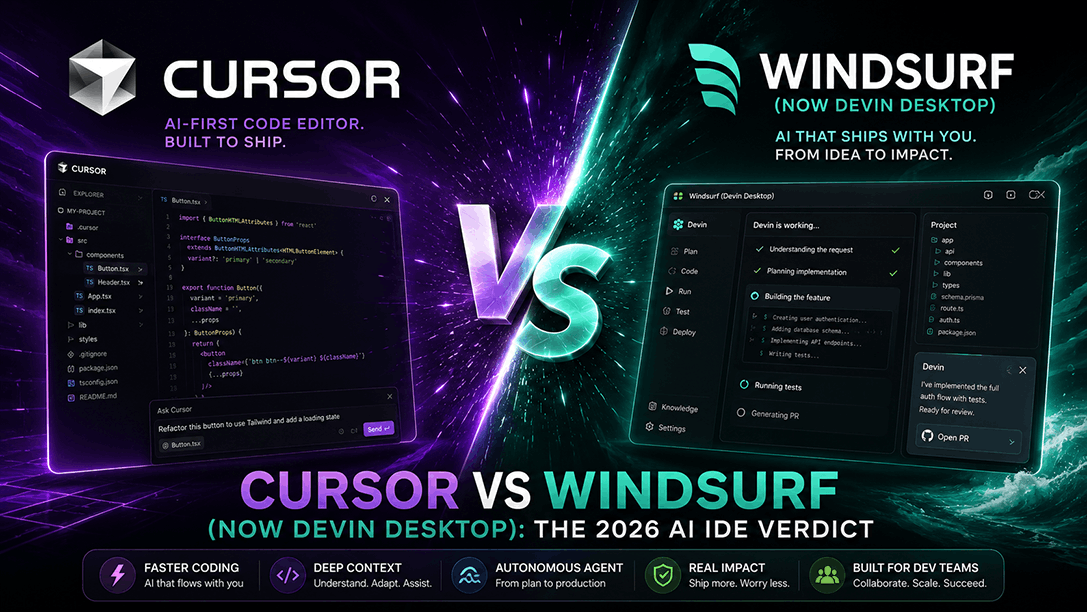
If you are comparing Cursor vs Windsurf today, almost every article you read is dangerously out of date. In March 2026, Windsurf completely overhauled its pricing, raising its Pro plan from $15/month to $20/month—matching Cursor Pro exactly as of July 2026. Then, on June 2, 2026, Cognition AI (the creators of Devin) rebranded Windsurf to Devin Desktop, shifting the IDE’s default interface from a standard editor canvas to the Agent Command Center. Finally, on July 1, 2026, Cascade—the local agent engine that powered Windsurf—reached its official end-of-life, replaced by the Rust-rewritten Devin Local agent.
With the price difference gone, the decision is no longer about budget. It is a fundamental choice of developer philosophy: do you want an AI-first pair programmer that keeps you in complete control of every single line of code, or do you want a command center to delegate entire multi-file tasks to autonomous agents?
The 30-Second Answer
- Choose Cursor if: You want a traditional, developer-first IDE where you remain the primary author. You prefer reviewing code changes line-by-line, diff-by-diff, and want access to the massive VS Code extension ecosystem. Cursor is built for high-speed, interactive pair programming with maximum human control.
- Choose Devin Desktop (formerly Windsurf) if: You want to transition from coding to managing. You want to delegate complex, multi-file tasks to autonomous local and cloud agents, track their progress on a Kanban board, and let the AI run in the background while you focus on high-level architecture.
Cursor vs Windsurf: The 2026 Pricing Reality
For over a year, Windsurf built its market share on a clear, 25% price advantage: $15/month for Windsurf Pro compared to $20/month for Cursor Pro.
That advantage is dead. Following the March 2026 pricing overhaul and the subsequent June 2026 consolidation under Cognition AI, both tools now cost exactly $20/month for their Pro tiers as of July 2026.
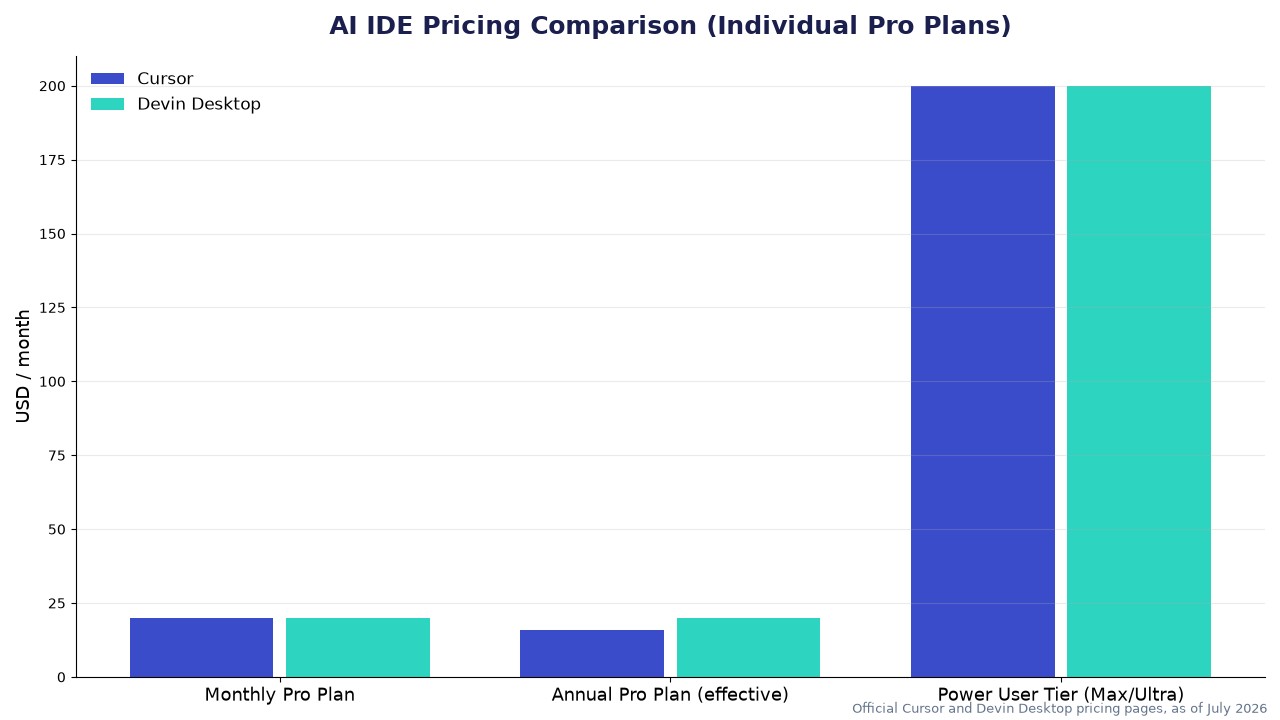
Here is how the pricing structures break down as of July 2026:
- Cursor Pro ($20/month or $16/month billed annually, as of July 2026): Includes unlimited Tab completions, extended Agent limits, and a $20 credit pool spent at API list prices for frontier models (like Claude, GPT, and Gemini). Its Auto routing mode is unlimited and does not drain your credit pool.
- Devin Desktop Pro ($20/month, as of July 2026): Includes standard daily/weekly quotas for frontier models, unlimited Tab completions, and free use of the proprietary SWE-1.7 and leading open-source models (which do not count against your quota). It also grants access to cloud-hosted agents (Devin Cloud). Note that Devin Desktop does not currently offer an annual discount for its individual Pro plan.
The teams pricing also reveals a massive structural difference. Cursor Teams costs $40/user/month (or $32/user/month billed annually) for its Standard tier, and $120/user/month (or $96/user/month billed annually) for its Premium tier as of July 2026, which provides 5x the standard usage allowance.
Devin Desktop Teams, on the other hand, has an $80/month minimum commitment, with full developer seats priced at $40/month each as of July 2026. If a team has fewer than two full seats, they are still billed the $80/month minimum, with the $40 difference credited back to the workspace as shared on-demand credits. Once a team adds two or more full seats, they clear the minimum threshold and pay a straight $40/month per seat. This minimum commitment can be steep for very small teams, but it supports unlimited free flex seats (which draw from the team’s shared pool of on-demand credits).
Side-by-Side Comparison (July 2026)
| Feature | Cursor | Devin Desktop (formerly Windsurf) |
|---|---|---|
| Individual Pro Price | $20/month ($16/month billed annually, as of July 2026) | $20/month (No annual discount, as of July 2026) |
| Power User Tier | Ultra ($200/month) | Max ($200/month) |
| Teams Pricing | $40/user/month ($32/user/month billed annually) for Standard; $120/user/month ($96/user/month billed annually) for Premium, as of July 2026 | $80/month minimum (covers up to 2 full seats at $40/user/month each, as of July 2026) |
| Free Tier | Hobby (Limited completions & Agent requests) | Free (Unlimited completions, light agent daily/weekly quota) |
| Primary Agent Engine | Composer 2.5 | Devin Local (Rust rewrite, replaced Cascade July 1, 2026) |
| Agent Philosophy | Interactive, diff-by-diff approval | Autonomous delegation, Kanban-style tracking |
| Multi-IDE Support | Cursor IDE only (VS Code fork) | Standalone IDE + Plugins for 40+ editors (JetBrains, Vim, Xcode) |
| Codebase Indexing | Manual (@mentions) or full semantic index | Spaces (Automatic context sharing & persistence) |
| Compliance | SOC 2 Type II | SOC 2 Type II, HIPAA, FedRAMP High, ITAR |
Source: Official Cursor and Devin Desktop pricing pages and documentation, as of July 2026.
The Core Philosophical Split: Composer vs. Agent Command Center
The real difference between Cursor and Devin Desktop is not the underlying model intelligence—both give you access to frontier models—but how they expect you to work.
Cursor: The Ultimate Pair Programmer
Cursor’s workflow is centered around Composer 2.5. It is designed to sit directly inside your coding loop. When you trigger Composer, you are pair programming with an incredibly fast, highly precise assistant.
- Diff-by-Diff Control: Cursor generates code and presents it as an inline diff. You must manually inspect and approve or reject every single file change.
- Human-in-the-Loop: If the AI makes a mistake, you immediately stop it, tweak the prompt, or edit the code yourself. The feedback loop is instantaneous.
- VS Code Ecosystem: Because Cursor is a direct fork of VS Code, your extensions, keybindings, and custom workspaces work natively out of the box.
Devin Desktop: The Autonomous Fleet Manager
Following the June 2026 rebrand, Devin Desktop has shifted its default view away from the editor canvas to the Agent Command Center. This is a Kanban-style dashboard where you manage multiple local and cloud agents in parallel.
- Task Delegation: Instead of watchfully waiting for an inline diff, you define a high-level goal and dispatch an agent.
- Persistent Spaces: Devin Desktop uses Spaces to organize project context. Multiple agents can run concurrently inside a Space, sharing Git worktrees, terminal outputs, and codebase indexes without manual setup.
- Agent Client Protocol (ACP): Devin Desktop is open. It supports ACP, allowing you to run third-party agents (like Claude Agent, Codex, or OpenCode) alongside Devin Local within the same Kanban interface.
If you are looking to build complete web applications from scratch using natural language rather than managing an IDE, you might want to look at our comparison of Lovable vs Bolt.new to see how full-stack AI builders differ from these developer-centric tools.
IDE Flexibility: Forked Editor vs. Multi-IDE Plugins
Another massive decision point is where you actually write your code.
Cursor is a standalone VS Code fork. To use it, you must migrate your entire development environment to the Cursor application. While the migration wizard is seamless, it means developers who prefer JetBrains IDEs (IntelliJ, WebStorm, PyCharm), Vim, NeoVim, or Xcode are completely out of luck.
Devin Desktop inherited Codeium’s robust multi-IDE infrastructure. While it offers a standalone, VS Code-based desktop editor (which houses the Agent Command Center), it also provides native plugins for over 40 different IDEs. If you are a JetBrains power user or a Vim enthusiast, you can run Devin’s agents and autocomplete suggestions directly inside your existing, heavily customized editor without forcing a platform migration.
Where Devin Desktop (Windsurf) Actually Wins
While Cursor is the mature market leader with a massive developer community, Devin Desktop (formerly Windsurf) holds three distinct advantages:
- A Far More Generous Free Tier: Cursor’s Hobby plan is highly restrictive, with limited completions and agent requests that developers often exhaust in a few days of active use. In contrast, Devin Desktop’s Free plan offers unlimited Tab completions and a light agent quota with daily and weekly resets, though access to SWE-1.7 and cloud agents requires the Pro tier. It is a genuinely usable free tier for hobbyists and light development.
- Automatic, Large-Scale Context Indexing: In Cursor, you often have to manually feed context to the AI using
@codebase,@file, or@docsmentions. Devin Desktop’s Spaces automatically index your entire codebase, tracking file histories, terminal states, and editor actions. It handles massive repositories with minimal manual context curation. - Enterprise-Grade Compliance: For developers in highly regulated fields, Cursor’s SOC 2 Type II certification is often not enough. Devin Desktop offers HIPAA, FedRAMP High, and ITAR compliance, along with zero-data-retention (ZDR) guarantees on its Team and Enterprise tiers, making it the only viable choice for healthcare, government, and defense sectors.
The Verdict
The choice between Cursor vs Windsurf (now Devin Desktop) comes down to a single question: Do you want to write code, or do you want to manage code?
Choose Cursor if:
- You want to maintain complete, granular control over every line of code.
- You want the fastest, most precise pair-programming experience with inline diff-by-diff reviews.
- You are already comfortable in VS Code and want an annual subscription discount ($16/month).
Choose Devin Desktop if:
- You want to delegate entire, multi-file engineering tasks to autonomous agents and review their work asynchronously.
- You prefer a Kanban-style workspace to manage multiple local and cloud agents running in parallel.
- You refuse to leave your JetBrains, Vim, or Xcode setup and need multi-IDE plugin support.
- You work in a highly regulated industry requiring HIPAA or FedRAMP compliance.

Leave a Reply